by LUSTR
{{ exportPlanNote }}
{{ langCode }}
{{ statusText }}
{{ t.previewHint }}

{{ t.editorIntro }}

{{ t.billingUnavailable }} x.com/KEIdesu0001
{{ t.typographyDetails }}
{{ t.tracking }} {{ trackingDisplay }}
{{ t.freeHintPre }}{{ t.freeHintCorners }}{{ t.freeHintPost }} {{ t.reset }}
{{ t.kerning }} {{ t.kerningSub }} {{ t.reset }} 🔒 PRO
{{ kc.ch }}
{{ kc.display }}
{{ imgName }}
SAVED · {{ t.saved }}
{{ t.layersDesc }}
{{ L.placeBadge }} {{ L.name }} {{ L.eyeChar }} ×
{{ t.tint }}
{{ tintAmtDisplay }}
{{ t.editing }} {{ activeLayerName }}
{{ t.bevelPlace }} {{ bevelPlaceHint }}
{{ t.extrude }} · {{ extrudeHint }} {{ extrudeDepthDisplay }}
{{ t.extAngle }} {{ extrudeAngleDisplay }}
{{ t.extRound }} {{ t.extRoundHint }} {{ extrudeRoundDisplay }}
{{ t.extBevel }} {{ t.extBevelHint }} {{ extrudeBevelDisplay }}
{{ t.extExposure }} {{ t.extExposureHint }} {{ extrudeExposureDisplay }}
{{ t.wallTint }}
{{ t.tintAmount }} {{ extrudeTintAmtDisplay }}
{{ s.label }} {{ s.display }}
SIZE
BG
{{ exportSummary }} · {{ exportPlanNote }}
{{ exportPlanNote }}
{{ hintText }}
{{ t.bannerText }}

PACHINKO TEXT GENERATOR

Create Japanese pachinko-style gold, rainbow and 3D text online

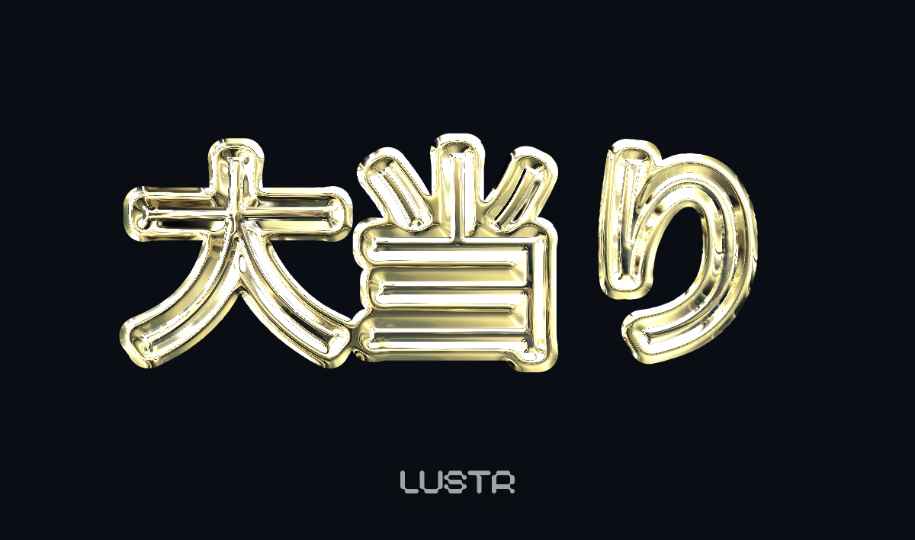
LUSTR is a free pachinko text generator for the loud, dimensional lettering seen in Japanese pachinko, slot-machine and arcade graphics. Combine a rainbow-chrome face with a thick black or gold outline, adjust the bevel and lighting, and export the finished title as a transparent PNG.

Rainbow pink Japanese pachinko-style text with thick black and metallic outlines made in LUSTR
Pachinko-style lettering generated with LUSTR. Change the text and finish in the editor above.

What is pachinko-style lettering?

Pachinko graphics use heavy Gothic or Mincho letterforms with multiple borders, metallic reflections, saturated rainbow color and strong highlights. The layers create an oversized 3D appearance designed to remain readable against busy game and advertising backgrounds.

How to make pachinko text

  1. Enter your title. Choose a heavy Japanese or Latin display font.
  2. Pick Gold & Black or Rainbow. The preset creates a metallic face and outer frame as separate layers.
  3. Adjust and export. Tune the outline, bevel, exposure and light direction, then save a transparent PNG.

Frequently asked questions

What is pachinko-style text?
It is bold Japanese display lettering built from thick outlines, metallic color, bright highlights and exaggerated 3D depth.
Can I make it for free?
Yes. Use the presets and material controls, then export a 1200 × 750 PNG without creating an account.
Can LUSTR render Japanese characters?
Yes. The editor includes heavy Japanese Gothic and Mincho fonts designed for bold titles.
Can I create gold-only text?
Yes. Use the Gold & Black preset and hide or adjust the outer layer to create gold titles, badges and anniversary lettering.
Can I export a transparent background?
Yes. Choose Transparent in the export section and save the result as a PNG.